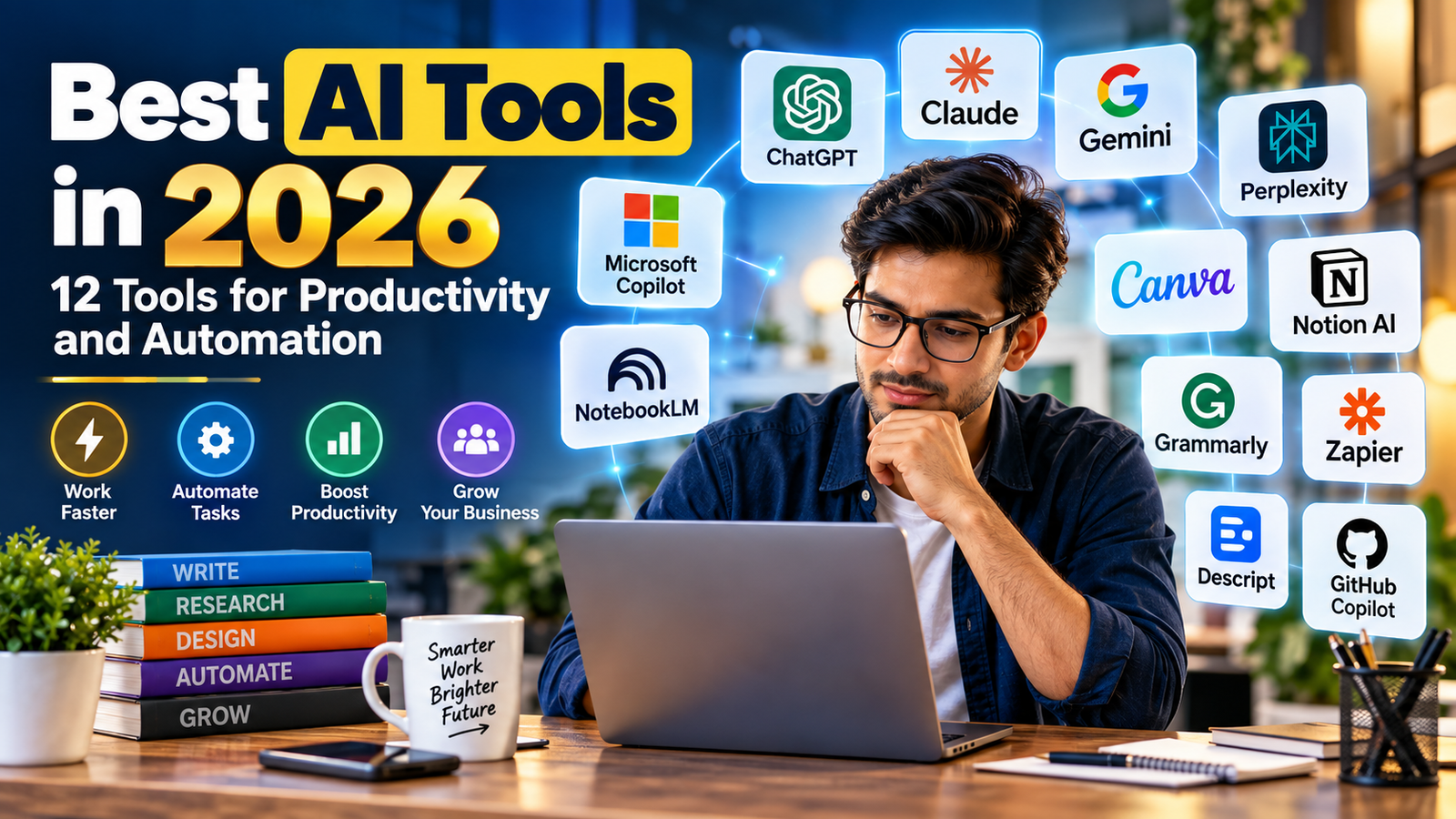
Best AI Tools in 2026: 12 Tools for Productivity and Automation
By Smart Paisa Bharat Editorial Team
Updated: September 2026 | Category: AI & Digital Tools
Artificial intelligence is changing the way people write, research, communicate, design, and manage everyday business tasks. What once required several applications and hours of manual effort can now often be completed with the help of a carefully selected AI tool.
However, having access to more AI software does not automatically make someone more productive. The real advantage comes from choosing tools that solve genuine problems, fit existing workflows, and produce results that can be checked and improved.
In this guide, we explore 12 useful AI tools for 2026, covering writing, research, automation, design, meetings, coding, and business productivity. You will also learn how to choose the right software, where free plans may be sufficient, and what to consider before sharing your information with an AI platform.
Quick answer: ChatGPT, Claude, Gemini, Perplexity, Microsoft Copilot, NotebookLM, Grammarly, Canva, Notion AI, Zapier, Descript, and GitHub Copilot are worth exploring for different productivity needs. No single tool is ideal for every user or task.
What Are AI Productivity Tools?
AI productivity tools are software applications that use artificial intelligence to assist with tasks such as generating text, analyzing documents, summarizing information, creating images, organizing projects, or connecting different business applications.
Traditional software generally follows instructions that users provide through menus, buttons, and predefined processes. AI-enabled software can also interpret natural-language instructions, recognize patterns, and help produce a useful first draft or suggested action.
For example, a small business owner might use an AI assistant to prepare a customer email, analyze a spreadsheet, create a presentation, and organize follow-up tasks. The person remains responsible for checking the figures, approving important decisions, and sending communications.
Why AI productivity matters in 2026
- Less repetitive work: Automate suitable administrative tasks and reduce unnecessary copying between apps.
- Faster first drafts: Create outlines, emails, reports, and content drafts that can be reviewed and improved.
- More accessible research: Explore complex topics, summarize documents, and locate relevant source material.
- Creative assistance: Generate design concepts, presentation layouts, video captions, and visual ideas.
- Better organization: Turn meeting notes, project discussions, and task lists into structured information.
AI should be viewed as an assistant rather than an automatic replacement for experience, judgment, or professional knowledge. Its usefulness depends on the task, the quality of the instructions, and the accuracy of the information supplied.
AI Tools Comparison: Which Tool Is Used for What?
The following comparison highlights the main use cases of 12 established AI products. It is a practical category guide, not a performance ranking. Features, usage limits, and availability can differ by subscription, country, and product version.
| AI tool | Main use | Suitable for |
|---|---|---|
| ChatGPT | Writing, analysis, research and general assistance | Students, creators and professionals |
| Claude | Long-form writing, document analysis and coding | Writers, developers and knowledge workers |
| Google Gemini | AI assistance and supported Google ecosystem workflows | Google Workspace users and general users |
| Perplexity | Web research and source discovery | Researchers, students and publishers |
| Microsoft Copilot | AI assistance in supported Microsoft products | Office users and businesses |
| NotebookLM | Working with supplied sources and documents | Students, researchers and educators |
| Grammarly | Writing feedback and communication assistance | Professionals and content writers |
| Canva | Graphic design and visual content creation | Creators, marketers and small businesses |
| Notion AI | Workspace organization and AI-assisted documentation | Teams and project managers |
| Zapier | Connecting apps and automating workflows | Businesses and operations teams |
| Descript | Audio and video editing workflows | Podcasters and video creators |
| GitHub Copilot | Coding assistance and developer workflows | Software developers |
Important: The tools in this table are not interchangeable. A research assistant, a graphic design application, and an automation platform solve different problems. Select software according to the work you actually need to complete.
12 Best AI Tools in 2026 for Productivity and Automation
Rather than choosing software only because it is popular, consider how it fits into your daily work. The following sections explain practical uses, potential benefits, and limitations of each tool.
1. ChatGPT: An All-Purpose AI Assistant
Best suited for: Writing, brainstorming, document analysis, learning, research, and general productivity.
ChatGPT is a conversational AI assistant that can help users understand complicated topics, develop ideas, draft content, summarize documents, and work with supported files and data. Depending on the plan and available features, it can also support web research, image generation, data analysis, and other workflows.
Practical ways to use ChatGPT
- Turn a rough idea into a structured article outline.
- Summarize a lengthy report and identify questions for review.
- Analyze spreadsheet data and explain numerical patterns.
- Draft customer support responses and professional emails.
- Generate concepts for images, presentations, and campaigns.
Example: A blogger can provide a topic, target audience, and editorial requirements, then ask ChatGPT to prepare an outline, identify information that requires verification, and suggest a clear article structure.
ChatGPT can make mistakes, misunderstand instructions, or provide incorrect facts. Review important claims and independently verify information before publishing or using it in financial, legal, medical, or other consequential decisions.
2. Claude: AI Assistance for Writing and Complex Documents
Best suited for: Long-form writing, document analysis, coding, and structured knowledge work.
Claude, developed by Anthropic, is an AI assistant designed to help with writing, analysis, programming, and other knowledge-based tasks. Depending on the available model and plan, it can work with substantial amounts of supplied text and supported files.
Practical uses
- Review lengthy documents and organize the main arguments.
- Improve the clarity and structure of a business report.
- Help developers understand code and investigate errors.
- Compare sections of a document and identify inconsistencies.
Claude can be useful when a task requires careful organization of a large amount of text. However, users should check its interpretation against the original document, especially where exact figures, quotations, or contractual language matter.
3. Google Gemini: AI for Research and Google Workflows
Best suited for: General AI assistance, research, and supported Google ecosystem tasks.
Google Gemini provides conversational AI assistance and, where supported, connects AI capabilities with Google’s products and services. Its usefulness depends on the specific Gemini experience, account type, region, and enabled integrations.
How people can use Gemini
- Brainstorm content ideas and organize research questions.
- Draft or refine written material.
- Get assistance with supported Google Workspace tasks.
- Explore explanations, summaries, and creative concepts.
Users working primarily with Google’s ecosystem may find it convenient to investigate the integrations available to their accounts. Before relying on a feature, confirm that it is enabled for the relevant product and subscription.
4. Perplexity: AI-Powered Web Research
Best suited for: Discovering sources, exploring current topics, and preparing research starting points.
Perplexity is an AI-powered search and answer platform that combines generated responses with web sources. It can help users explore a subject, find relevant references, and investigate follow-up questions.
Practical research applications
- Find official announcements about a product or service.
- Collect source material before writing an article.
- Explore different explanations of a developing topic.
- Identify original reports and documents for further reading.
Source links are useful, but they are not a guarantee of accuracy. Open the original sources, check their publication dates, and confirm that the source actually supports the statement being made. For important claims, consult primary sources wherever possible.
5. Microsoft Copilot: AI Assistance for Office Work
Best suited for: Supported Microsoft 365 workflows, office productivity, and business communication.
Microsoft Copilot includes AI experiences across supported Microsoft products. Depending on the product, subscription, and organizational settings, Copilot can assist with drafting, summarizing, organizing information, and working with documents or other office content.
Examples of office productivity
- Prepare a first draft of a business document.
- Summarize supported meeting information.
- Get assistance with presentations and spreadsheets.
- Organize information for reports and internal communication.
Organizations should check licensing, data permissions, and administrator settings before deploying Copilot for confidential business information.
6. NotebookLM: Study and Research With Your Sources
Best suited for: Learning, source-based research, and organizing supplied reference materials.
NotebookLM is Google’s AI research and learning tool. It allows users to work with supported sources they provide and generate source-grounded summaries, explanations, and study materials. Available source types and features may vary.
Useful applications
- Organize notes and reading materials for a research project.
- Ask questions about supplied documents.
- Create summaries and study guides from source material.
- Identify passages that need closer examination.
NotebookLM is particularly relevant when you want to work from a defined collection of materials instead of relying entirely on general AI knowledge. Still, verify important interpretations against the original sources.
7. Grammarly: Writing Clarity and Communication
Best suited for: Proofreading, writing improvement, and professional communication.
Grammarly provides writing assistance that can help users review grammar, spelling, tone, and clarity. Its AI features can also support drafting and rewriting in supported experiences.
Where Grammarly can help
- Check spelling and grammar before publishing.
- Improve the clarity of emails and business communication.
- Identify awkward sentences and repetitive wording.
- Review tone for a particular audience.
Writing suggestions should be treated as recommendations. Preserve the intended meaning, factual accuracy, and natural voice of the original author rather than accepting every suggested change automatically.
8. Canva: AI-Assisted Design and Visual Content
Best suited for: Social media graphics, presentations, marketing visuals, and design projects.
Canva is a visual design platform with AI-assisted features available in supported products and plans. It helps users create and edit designs using templates, visual elements, and various content-generation tools.
Content creators can use Canva to
- Prepare blog featured images and promotional graphics.
- Design Pinterest pins and social media posts.
- Create presentation slides and visual explainers.
- Develop consistent branding for marketing materials.
Review generated visuals for incorrect text, misleading imagery, licensing restrictions, and brand consistency. Check the applicable content and commercial-use terms before publishing AI-generated assets.
9. Notion AI: Project and Knowledge Management
Best suited for: Notes, documentation, project organization, and collaborative workspaces.
Notion combines documents, databases, and project-management features. Its AI capabilities can assist with tasks such as drafting, summarizing, and working with information within supported workspace experiences.
Practical examples
- Organize content calendars and editorial schedules.
- Summarize project notes and meeting information.
- Maintain internal documentation and task lists.
- Develop repeatable processes for a small team.
Notion AI can be useful when information is already organized within a workspace. Teams should set appropriate permissions and avoid placing sensitive information into services without reviewing the applicable privacy and data policies.
10. Zapier: AI-Powered Workflow Automation
Best suited for: Connecting applications, reducing repetitive tasks, and building business workflows.
Zapier connects supported applications through automated workflows. Its platform includes AI-related capabilities that can help users incorporate summarization, classification, content generation, and other AI steps into processes.
Unlike a general-purpose chatbot, an automation platform can connect events and actions across different applications. For example, a new form submission could trigger a sequence of actions in connected services.
Example: A simple lead-management workflow
- A potential customer submits a contact form.
- The form information is added to an authorized business tool.
- An AI step prepares a summary or categorizes the enquiry.
- A team member reviews the result and follows up.
AI-generated classifications and messages should be checked before consequential actions. Use human approval for sensitive communications, financial transactions, and changes to customer records.
11. Descript: AI-Assisted Audio and Video Editing
Best suited for: Podcasts, video content, interviews, and spoken-word editing.
Descript is an audio and video editing platform that includes transcription-based editing and AI-assisted production features. Supported features can help creators work with spoken content and prepare media for publication.
How creators may use Descript
- Edit supported recordings using transcript-based workflows.
- Prepare captions and transcripts for accessibility.
- Organize interviews and spoken content.
- Produce and refine podcast or video material.
Always obtain appropriate consent before using recordings, voice-related features, or personal footage. Check generated transcripts for errors, especially when names, technical terms, or financial figures are mentioned.
12. GitHub Copilot: AI Assistance for Developers
Best suited for: Software development, coding assistance, and developer productivity.
GitHub Copilot provides AI-powered assistance within supported development environments. It can help developers generate code suggestions, explain code, and work through programming tasks.
Developer use cases
- Generate initial code for routine programming tasks.
- Explain unfamiliar sections of a codebase.
- Assist with test creation and debugging.
- Explore alternative implementations of a feature.
AI-generated code can contain security weaknesses, bugs, licensing concerns, or incorrect assumptions. Review code, run suitable tests, and follow secure development practices before deploying it to a live website or business application.
How to Choose the Right AI Tool for Your Needs
Choosing AI software becomes easier when you begin with the problem rather than the product. A tool that works well for a developer may not provide much value to someone managing a blog or a small business.
Step 1: Identify your biggest time-consuming task
Write down the activities that consume time each week. Examples include preparing reports, editing articles, responding to routine enquiries, creating graphics, or transferring information between applications.
Step 2: Match the task to the appropriate category
- Writing and general assistance: explore conversational AI assistants.
- Source-based research: consider research and document tools.
- Graphic design: explore visual design platforms.
- Repeated tasks across apps: consider workflow automation.
- Programming: explore developer-focused coding assistants.
Step 3: Test the tool on a real task
Use a non-sensitive example from your normal workflow. Compare the result with your existing process. Consider the time required for checking, correcting, and formatting the output—not just how quickly the AI generates a response.
Step 4: Review privacy and total cost
Check subscription limits, supported integrations, data handling policies, cancellation terms, and any additional usage charges. A low-cost plan may be sufficient for occasional work, while a business may require more advanced controls.
Free AI Tools vs Paid AI Plans: What Should You Choose?
Many AI products offer free access, trials, or limited features. Paid subscriptions may provide higher usage limits, additional capabilities, or business-oriented controls. The exact differences vary by provider and can change over time.
| Consideration | Free access | Paid access |
|---|---|---|
| Getting started | Useful for testing and occasional tasks | Useful when advanced features are needed |
| Usage limits | May have lower limits or restricted features | May offer higher limits depending on plan |
| Business requirements | May lack certain administrative controls | Some plans offer business and team controls |
| Cost | No subscription charge for included usage | Recurring or usage-based charges may apply |
Practical advice: Start with a free option when it meets your requirements. Upgrade only when a specific limitation affects your work and the additional cost is justified. Always check the official pricing page before subscribing.
Build a Practical AI Workflow for a Small Business or Blog
AI becomes more useful when different tools support a clear process. You do not need a large collection of subscriptions to begin. A simple workflow with human review can be enough for many everyday tasks.
Example: Publishing a researched blog article
- Research: Use a search or research assistant to locate original sources, reports, and official documentation.
- Plan: Use a writing assistant to organize verified information into a useful outline.
- Draft: Prepare the article with original explanations, examples, and clear attribution where required.
- Review: Check facts, dates, figures, links, originality, and editorial quality.
- Design: Create an appropriate featured image and supporting visuals, checking usage rights.
- Publish: Add the article to WordPress with an accurate title, useful headings, descriptive links, and a suitable meta description.
For a business, a similar process can be used to organize enquiries, draft customer responses, prepare reports, and assign follow-up tasks. Keep human approval for important decisions and customer-facing actions.
Example of a simple AI-assisted content stack
- One conversational AI assistant for outlining and drafting.
- One research tool for source discovery and verification.
- One design tool for original visual content.
- One automation platform only if repetitive tasks justify it.
The objective is not to automate every activity. It is to build a manageable process that improves consistency without sacrificing accuracy, originality, or editorial judgment.
AI Limitations, Privacy and Safety: What Users Should Know
AI tools can be useful, but they are not infallible. Generated answers may include fabricated details, outdated information, incorrect calculations, or references that do not support the accompanying claims.
Verify important information
Check factual statements against reliable sources, particularly when writing about financial products, taxes, laws, health, current events, or government policies. AI-generated content should not be treated as professional advice or a substitute for checking original documents.
Protect personal and business information
Before uploading documents, customer records, contracts, financial statements, or private correspondence, review the provider’s data policies, account settings, and organizational requirements.
- Do not enter passwords, authentication codes, or secret keys.
- Remove unnecessary personal identifiers from sample documents.
- Check who can access connected files and workspace content.
- Use appropriate access permissions for business integrations.
- Review AI-generated actions before they affect customers or records.
Use AI responsibly for published content
AI can assist with drafting, but publishing large quantities of repetitive, unverified, or low-value material is not a substitute for useful editorial work.
For a website seeking long-term search visibility, focus on original explanations, trustworthy sourcing, practical examples, clear authorship, and genuine value for readers. Review all content before publication and disclose commercial relationships where applicable.
Frequently Asked Questions About AI Tools in 2026
1. What are the best AI tools in 2026?
Useful AI tools in 2026 include ChatGPT, Claude, Gemini, Perplexity, Microsoft Copilot, NotebookLM, Grammarly, Canva, Notion AI, Zapier, Descript, and GitHub Copilot. The right choice depends on whether you need writing, research, automation, design, or coding assistance.
2. Which AI tools can beginners use for free?
Several providers offer free access or limited free plans. Beginners can explore available versions of ChatGPT, Gemini, Claude, Perplexity, Canva, and other products. Usage limits, features, and regional availability vary, so check each provider’s official website.
3. Can AI tools help create blog content?
Yes. AI tools can assist with brainstorming, outlining, research organization, drafting, proofreading, and image concepts. Publishers should verify facts, check source material, add original insight, and review the final article before publishing.
4. Can AI tools automate business tasks?
Yes. Workflow platforms such as Zapier can connect supported applications and automate defined processes. AI steps can assist with tasks such as summarizing or classifying information. Important decisions, financial actions, and sensitive communications should have suitable human oversight.
5. Are AI-generated answers always accurate?
No. AI systems can generate incorrect or misleading answers. Verify important facts using reliable primary sources and independently check calculations, quotations, and references before relying on the output.
6. Are paid AI subscriptions necessary?
Not necessarily. Free access may be sufficient for occasional writing, learning, and basic research. A paid plan may be useful when you require higher usage limits, additional features, or specific business capabilities.
7. Is it safe to upload business documents to AI tools?
Safety depends on the service, its data policies, account configuration, and the sensitivity of the information. Review privacy terms and organizational rules before uploading confidential or personal information. Remove unnecessary sensitive details whenever possible.
8. Will AI replace every productivity application?
No. AI can add assistance and automation to existing software, but specialized applications remain important for tasks such as accounting, project management, design, and data storage. AI is often most useful when it complements the tools and processes people already use.
Final Thoughts: Use AI to Work Smarter in 2026
AI productivity software is becoming a practical part of writing, research, business operations, creative work, and software development. The growing number of available tools makes it important to choose carefully instead of subscribing to every new platform.
Start with one task that takes too much time. Find a suitable tool, test it on a real example, and measure whether it improves your workflow. Add more software only when it solves a clear problem.
For bloggers and small businesses, the most sustainable approach is to combine AI assistance with original thinking, reliable research, privacy awareness, and human review.
AI can help you move faster, but the quality of your decisions, content, and customer relationships still depends on how responsibly you use it.
Smart Paisa Bharat shares practical guides on AI, digital tools, personal finance, and technology to help readers make informed decisions.