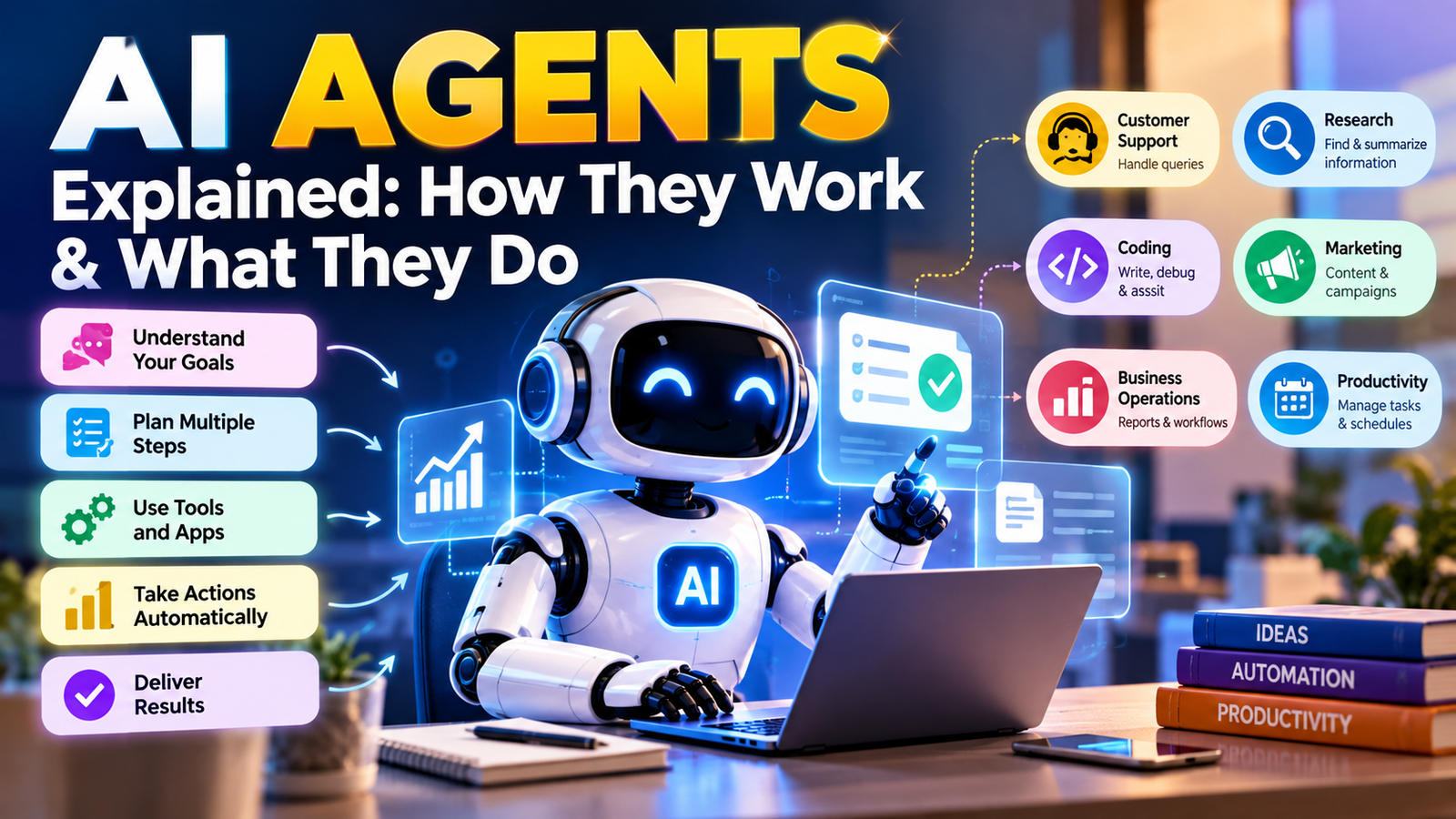
AI Agents Explained: How They Work & What They Do
AI agents are AI-powered systems that can understand a goal, work through multiple steps, use connected tools, and complete tasks within defined limits. Unlike a traditional chatbot that mainly answers questions, an AI agent can be designed to take action as part of a workflow..
But what exactly is an AI agent? How is it different from a chatbot? Can ordinary businesses use one? And what should you consider before giving an AI system access to your data or software?
This guide explains AI agents in simple language, with practical examples and a step-by-step look at how agent-based automation works.
Last updated: September 2026
What Is an AI Agent?
An AI agent is a software system that uses artificial intelligence to work toward a defined objective. Depending on its design, it can understand instructions, examine information, decide what to do next, use digital tools, and return a result or perform an approved action.
The easiest way to understand the difference is to compare an AI agent with a simple question-and-answer system.
If you ask a chatbot, “What is my company’s refund policy?”, it may provide an explanation from the information available to it.
An agent-based workflow could go further. It might identify the type of request, retrieve the relevant policy, check information available through an approved system, prepare a response, and send the case for human approval when the situation falls outside its rules.
This does not mean that every AI agent is fully autonomous. In fact, many useful systems are intentionally designed with human approval, limited permissions, and clearly defined boundaries.
How Do AI Agents Work?
Although AI-agent architectures can be very different, most practical systems follow a basic cycle.
- Receive a goal: The system receives an instruction, request, event, or business objective.
- Understand the situation: The AI interprets the available information and identifies what the task requires.
- Plan the next step: The system determines which action or sequence of actions may be appropriate.
- Use tools: When permitted, the agent can interact with software such as search systems, APIs, databases, calendars, documents, or business applications.
- Check the result: The workflow can evaluate whether the previous action produced a useful result.
- Continue or finish: The agent either performs another permitted step or provides the final result.
A simplified way to visualize the process is:
Goal → Understand → Plan → Act → Check → Complete
The quality of an agent depends on more than the AI model itself. Instructions, available data, connected tools, permissions, workflow design, error handling, and human oversight can all affect the final result.
AI Agent vs Chatbot: What Is the Difference?
The terms AI chatbot and AI agent are sometimes used interchangeably, but they describe different ideas.
| Feature | AI Chatbot | AI Agent |
|---|---|---|
| Main purpose | Conversation and information | Goal-oriented tasks and workflows |
| Planning | Usually limited | Can support multi-step planning |
| Tool usage | May have selected tools | Can be connected to several tools |
| External actions | Usually focused on responses | Can perform approved actions |
| Workflow automation | Often limited | Can be designed around complete workflows |
| Human approval | Commonly used for conversation | Can be built into sensitive workflows |
The distinction is not absolute. A chatbot can have tools, and an AI agent can communicate through a chat interface. The important question is what the system is designed to accomplish.
A Simple Example of an AI Agent
Imagine a small online business receiving customer questions every day.
A traditional process might require an employee to read every message, search company documents, determine the appropriate answer, write a reply, and decide whether the issue needs escalation.
A controlled AI-agent workflow could assist with these steps:
- Read the incoming request.
- Identify the customer’s question.
- Search an approved knowledge base.
- Prepare a draft response.
- Check whether the request matches predefined rules.
- Ask for human approval when necessary.
- Record the outcome for future review.
Notice that the AI is not being given unlimited authority. The workflow is designed around a specific objective and controlled access.
What Are the Main Parts of an AI Agent?
1. AI Model
The AI model provides the language and reasoning capabilities needed to understand requests, interpret information, generate plans, and produce responses.
2. Instructions
Instructions define how the agent should behave. Good instructions explain the objective, available resources, restrictions, expected output, and situations where the agent should stop and ask for help.
3. Tools
Tools allow an AI system to interact with the outside world. Depending on the use case, tools may include APIs, search systems, databases, spreadsheets, calendars, document systems, or business software.
4. Context and Data
An agent needs relevant information to complete its task. This could include documents, company policies, product information, customer records, or information supplied during the current task.
5. Memory
Some systems can retain selected information across interactions. Memory should be used carefully, particularly when personal, confidential, or business-sensitive information is involved.
6. Permissions
Permissions determine what the agent can actually do. An experimental workflow should not automatically receive unrestricted access to important accounts or systems.
7. Monitoring
Monitoring helps identify errors, unexpected actions, failed tool calls, and situations where the workflow needs improvement.
Types of AI Agents
There is no single type of AI agent. Different agents are designed around different objectives and environments.
Customer Support Agents
These systems can help classify support requests, find information, draft responses, summarize conversations, and route complicated cases to people.
Research Agents
Research-focused agents can gather information from approved sources, organize findings, compare information, and prepare structured summaries.
Coding Agents
Coding agents can assist developers with tasks such as understanding code, generating implementation ideas, finding potential bugs, writing tests, and preparing documentation.
Marketing Agents
Marketing workflows can use AI agents for research, content planning, campaign analysis, audience segmentation, reporting, and repetitive coordination tasks.
Business Operations Agents
These agents focus on internal processes such as document handling, information retrieval, reporting, task routing, and coordination between software systems.
Personal Productivity Agents
Productivity-focused agents can help organize information, summarize documents, prepare drafts, manage task lists, and support routine planning.
Where Can AI Agents Be Used?
AI agents are particularly interesting for tasks that contain several connected steps. Some practical examples include:
- Customer support workflows
- Research and information gathering
- Document summarization
- Software development assistance
- Internal knowledge search
- Marketing workflow support
- Business reporting
- Routine administrative tasks
- Lead qualification
- Task and workflow coordination
The important point is that an AI agent is not automatically the right solution for every task. A simple rule or traditional automation may be easier to maintain when the workflow is predictable.
AI Agents for Small Businesses
Small businesses do not need to build a complicated autonomous system to benefit from agent-based automation.
A better starting point is often one repetitive process that consumes employee time. For example, a business could create an internal workflow that reads routine enquiries, finds information from approved documents, prepares a response, and sends unusual cases to a human employee.
Another business might use an agent to organize information from multiple approved sources and prepare a daily or weekly report for review.
The goal should not be to automate everything. The goal should be to identify a task where AI can provide measurable assistance without creating unnecessary risk.
How to Build an AI Agent Step by Step
Step 1: Choose One Specific Problem
Start with a narrow objective.
Too broad: Build an AI agent that runs my entire business.
More practical: Build an agent that prepares first-draft replies to routine customer questions using approved company information.
Step 2: Write Down the Existing Process
Before automating anything, understand how the task is currently completed. Write down the inputs, decisions, tools, outputs, exceptions, and approval points.
Step 3: Define What Success Means
Decide how you will measure the result. Depending on the workflow, this could involve response quality, processing time, error rates, completion rates, or the amount of repetitive work reduced.
Step 4: Select the Appropriate AI Model
Different tasks require different levels of AI capability. Consider quality, speed, context requirements, reliability, cost, and integration options.
Step 5: Connect Only Necessary Tools
Give the agent access to the tools required for the job. Avoid connecting unrelated accounts or services simply because an integration is available.
Step 6: Set Clear Boundaries
Define what the agent can do, what it cannot do, and when it must stop.
Step 7: Add Human Approval Where Needed
Financial transactions, account changes, sensitive customer issues, legal matters, and other high-impact actions may require human review.
Step 8: Test Before Deployment
Test normal requests, incomplete information, unusual questions, conflicting data, incorrect inputs, and attempts to make the system ignore its instructions.
Step 9: Monitor the Workflow
An agent should not simply be launched and forgotten. Review its results and identify recurring errors or unexpected behaviour.
Step 10: Improve Gradually
Once the first workflow is stable, improve it step by step. Expanding slowly makes it easier to understand what is working and where problems originate.
Benefits of AI Agents
Automation
AI agents can help coordinate repetitive tasks that normally require several manual steps.
Productivity
Employees can spend less time on repetitive information-processing tasks and more time on work that requires human judgment.
Tool Integration
Agents can connect AI capabilities with selected software, APIs, databases, and information sources.
Scalability
A well-designed workflow can help organizations handle larger volumes of routine requests without manually repeating every step.
Limitations of AI Agents
AI agents are not perfect digital employees. They can misunderstand instructions, make incorrect assumptions, use incomplete information, or produce an answer that sounds convincing without being correct.
This is particularly important when an agent is connected to external systems. A mistake in a simple conversation may be inconvenient, while a mistake involving an important business process can have much larger consequences.
For this reason, the level of automation should match the risk of the task.
AI Agent Security and Privacy
Security should be considered before an agent receives access to business systems, customer information, financial data, or private documents.
Use Minimum Permissions
Give the agent only the access it actually needs. If an agent only needs to read information, there may be no reason to give it permission to modify that information.
Protect Credentials
API keys, passwords, tokens, and authentication credentials should be protected properly and should not be exposed inside prompts or public content.
Control Sensitive Data
Do not provide personal or confidential information to an AI workflow unless there is a legitimate reason and the relevant privacy and security requirements have been considered.
Keep an Audit Trail
Where appropriate, record important actions so that unusual behaviour can be investigated.
Have a Stop Mechanism
A production workflow should have a practical way to pause or disable the agent if something unexpected happens.
When Should You NOT Use an AI Agent?
More automation is not always better.
A traditional rule-based system may be preferable when the process is simple, predictable, and easy to express with fixed rules.
For example, if the requirement is simply: “When a form is submitted, send a confirmation email,” there may be no need for an AI agent.
AI becomes more useful when the workflow requires interpretation, classification, flexible language understanding, information retrieval, or decisions based on context.
Common AI Agent Mistakes to Avoid
- Trying to automate everything: Start with one well-defined workflow.
- Giving excessive permissions: Use the smallest practical set of permissions.
- Using vague instructions: Define the objective and boundaries clearly.
- Skipping testing: Test unusual and unexpected inputs before deployment.
- Trusting every AI response: Important information should be verified according to its risk.
- Ignoring privacy: Understand what data the workflow can access.
- Removing humans from sensitive decisions: Use human approval where the consequences of an error are significant.
- Never reviewing the workflow: Monitor results and improve the system over time.
AI Agents and the Future of Work
AI agents are likely to become increasingly connected to the software people already use. Instead of opening several applications and manually moving information between them, users may increasingly interact with workflows through natural language.
However, the most useful future is not necessarily one where every process becomes completely autonomous.
A more practical model is human-guided automation: AI handles suitable repetitive work while people remain responsible for decisions that require context, accountability, judgment, or authorization.
This approach can also make automation easier to monitor and improve.
How to Decide If an AI Agent Is Right for You
Before building an AI agent, ask yourself these questions:
- Is the task repeated frequently?
- Does the task contain several steps?
- Is the desired outcome clearly defined?
- Is the required information available?
- Can the task be tested with realistic examples?
- Can the agent operate with limited permissions?
- Can a person review important decisions?
- Can the result be measured?
If most answers are yes, the workflow may be a reasonable candidate for AI-assisted automation.
Frequently Asked Questions About AI Agents
What is an AI agent?
An AI agent is a software system designed to work toward a defined goal by understanding information, planning steps, and using permitted tools or actions.
How do AI agents work?
An AI agent generally receives a goal, interprets the available information, plans one or more steps, uses connected tools when necessary, checks the result, and either continues or completes the task.
What is the difference between an AI agent and a chatbot?
A chatbot is mainly designed for conversation and answering questions. An AI agent can be designed to complete multi-step tasks by using tools and following a defined workflow.
Can AI agents work without human intervention?
Some workflows can operate automatically, but the appropriate level of autonomy depends on the task. Sensitive or high-impact actions may require human approval.
Can beginners build an AI agent?
Yes. Some platforms provide visual or low-code tools, while more advanced projects can require programming, APIs, databases, authentication, and custom integrations.
What are AI agents used for?
Common applications include customer support, research, software development, business operations, reporting, information retrieval, marketing workflows, and productivity tasks.
Are AI agents always accurate?
No. AI systems can make mistakes or work from incomplete information. Important outputs should be reviewed according to the potential impact of an error.
Are AI agents safe?
AI agents can be used responsibly when they have appropriate permissions, security controls, testing, monitoring, and human oversight. Their safety depends heavily on how the system is designed and deployed.
What is the first step to building an AI agent?
The first step is to choose one clearly defined problem and describe the desired result. After that, map the workflow, identify required tools, and define the boundaries of the agent.
Will AI agents replace traditional automation?
Not necessarily. Traditional automation remains useful for predictable, rule-based processes. AI agents can add flexibility where a workflow requires interpretation, context, or natural-language interaction.
Final Takeaway
AI agents represent an important shift in how artificial intelligence can be used. Instead of stopping at a generated answer, an agent can be designed to work through a sequence of tasks using information and connected tools.
The real value, however, is not simply giving AI more control. Good agent design is about choosing the right problem, defining clear boundaries, using reliable information, limiting permissions, testing the workflow, and keeping people involved where their judgment matters.
If you are new to AI automation, start small. Choose one repetitive task, build a controlled workflow, measure the result, and expand only after the first process works reliably.
Important Note
AI technology changes quickly. Features, models, pricing, integrations, and capabilities can change over time. Before using an AI system for an important business, financial, legal, privacy, or security decision, verify the relevant information with the appropriate official documentation or qualified professional.