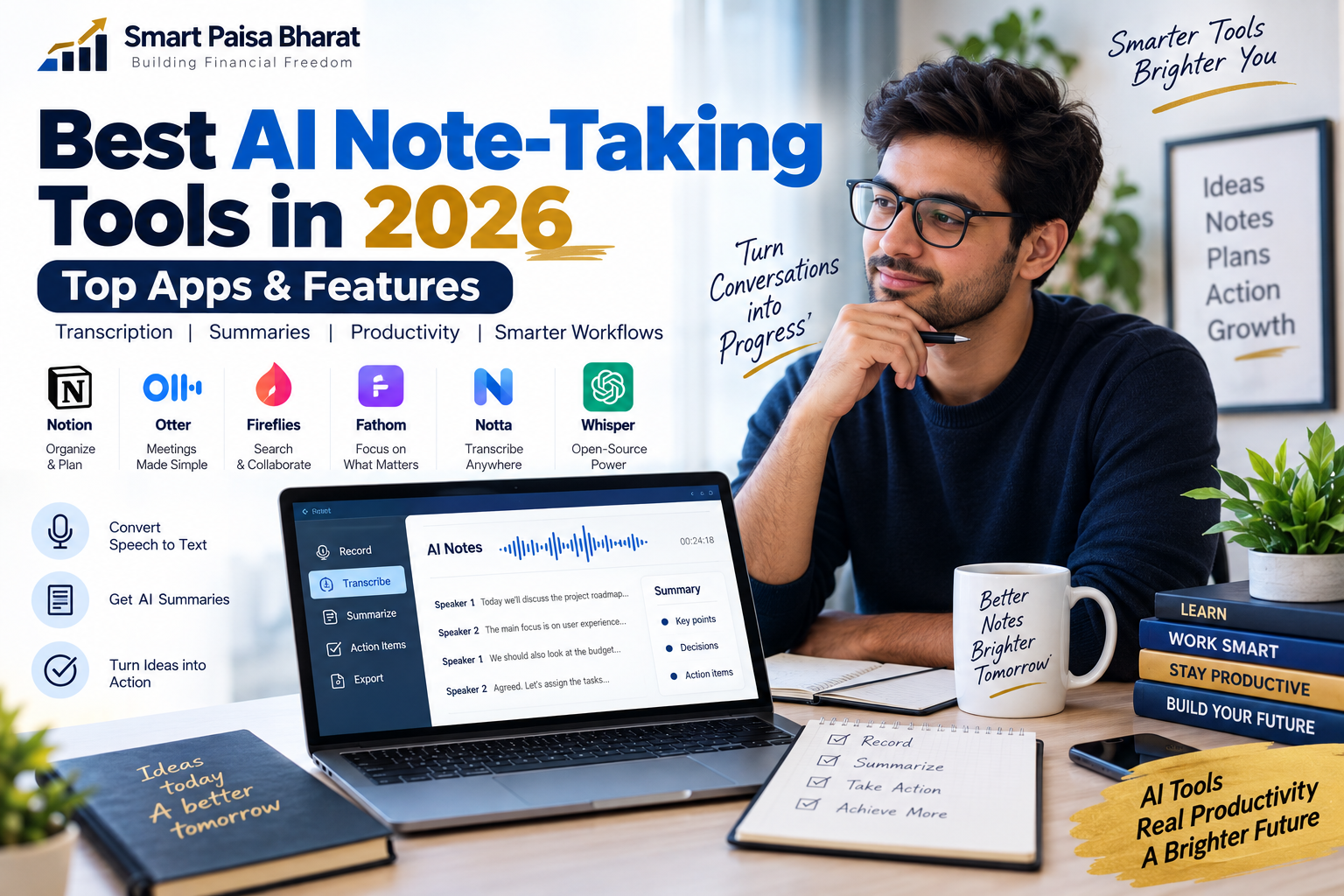
Best AI Note-Taking Tools in 2026: Top Apps & Features
AI note-taking has changed the way people capture information. Instead of trying to write every sentence during a meeting, lecture, interview or brainstorming session, you can now let AI turn spoken conversations into searchable notes, summaries and actionable tasks.
But choosing an AI note-taking tool is not simply about finding the app with the most features. The right choice depends on what you actually need: accurate transcription, quick summaries, meeting organization, study support, privacy, integrations or a simple workflow that does not get in your way.
In this updated guide, we explore how modern AI note-taking works, what to look for, where tools such as Whisper fit into the ecosystem, and how students, professionals, creators and businesses can use AI notes more effectively.
What Are AI Note-Taking Tools?
AI note-taking tools are applications that use artificial intelligence to capture, transcribe, organize and summarize spoken or written information.
Depending on the platform, an AI note-taking app may record a conversation, convert speech into text, identify important topics, highlight decisions, create action items and make the resulting information easier to search.
Think of it as having a digital assistant working quietly in the background. Instead of spending an entire meeting looking down at a notebook, you can concentrate on the conversation and review the important points afterward.
Why AI Note-Taking Is Becoming So Useful
Modern work creates an enormous amount of information every day. Meetings, online classes, customer calls, interviews, webinars, voice messages and brainstorming sessions can all contain useful details that are easy to forget.
Traditional note-taking has an obvious problem: you cannot write everything while also listening carefully and participating in the conversation.
AI changes that equation by helping with the first layer of documentation. Afterward, you can review the transcript, scan the summary and verify important details.
- Capture conversations without manually typing every sentence.
- Turn long discussions into shorter summaries.
- Find important information inside transcripts.
- Extract tasks and follow-ups.
- Create structured notes from unstructured conversations.
- Review meetings faster when time is limited.
The real benefit is not simply saving typing time. It is reducing the amount of useful information that disappears after a conversation ends.
How AI Note-Taking Works
Although different products use different technologies, the basic workflow is relatively simple.
- Audio capture: The application receives audio from a meeting, recording, microphone or uploaded file.
- Speech recognition: Speech-recognition technology converts spoken words into text.
- Transcript processing: The system organizes the transcript and may identify speakers or important sections.
- AI analysis: A language model can identify themes, decisions, questions and action items.
- Useful output: The result may include a summary, transcript, task list, highlights or searchable notes.
OpenAI’s Whisper is one important example of speech-recognition technology. It was introduced as a multilingual automatic speech recognition system and has been used as a foundation for applications that convert spoken language into text.
Best AI Note-Taking Tools to Explore in 2026
There is no single AI note-taking app that is perfect for everyone. Different tools are designed around different workflows, so it is more useful to understand their strengths than to treat the market as a simple one-size-fits-all ranking.
1. Notion AI Meeting Notes
Notion is particularly interesting for people who already use Notion as their workspace for documents, projects and knowledge management.
Its AI Meeting Notes feature can transcribe meetings and turn conversations into organized summaries and action items. This makes it useful when meeting notes need to remain connected to the rest of a project rather than sitting inside a separate app.
A major advantage of this approach is the connection between the conversation and the workspace where the resulting information will actually be used.
2. Otter
Otter is built around meeting transcription and AI-powered meeting information. Its current Notetaker can work with popular meeting platforms including Zoom, Google Meet and Microsoft Teams.
It can be useful for people who regularly attend online meetings and want transcripts, summaries and follow-up information without manually documenting every conversation.
3. Fireflies
Fireflies focuses heavily on meeting transcription, summaries, searchable conversations and integrations. It is particularly relevant for teams that want to turn meeting information into a reusable business knowledge base.
Before choosing any business-focused tool, check its current integrations, storage policies and plan limits because these details can change over time.
4. Fathom
Fathom is another meeting-focused option designed around recording, transcription and AI-generated meeting insights.
It can be worth exploring if your main requirement is meeting documentation rather than general-purpose personal note-taking.
5. Notta
Notta is another option for people looking for transcription and AI-assisted notes, particularly when multilingual or cross-platform workflows are important.
6. Whisper-Based Tools
Whisper is different from a typical consumer note-taking application. It is speech-recognition technology that developers can use as part of their own applications and workflows.
This makes Whisper-based solutions interesting for technically minded users who want greater control over transcription workflows rather than relying entirely on a ready-made meeting assistant.
AI Note-Taking Tools Compared by Use Case
Instead of asking which tool is universally the best, start with the job you want it to perform.
| Use Case | What Matters Most | Useful Features |
|---|---|---|
| Business meetings | Reliable meeting capture | Transcription, summaries, action items |
| Students | Learning and organization | Transcripts, summaries, search |
| Content creators | Fast conversion of speech into text | Transcription, editing, highlights |
| Researchers | Searchable information | Accurate transcripts, organization |
| Personal productivity | Speed and simplicity | Quick capture, summaries, reminders |
Features to Look For Before Choosing an AI Note-Taker
1. Transcription Quality
Everything starts with the transcript. If the transcription contains too many errors, even a sophisticated summary can become unreliable.
Test the tool with your normal speaking environment rather than judging it only from a demonstration. Accents, background noise, technical vocabulary and multiple speakers can affect results.
2. Summary Quality
A useful summary should help you understand what actually happened. Look for tools that separate major points, decisions, questions and follow-up tasks.
3. Speaker Identification
Speaker labels can make a long transcript much easier to understand. However, accuracy can vary depending on the number of speakers, microphone setup and recording environment.
4. Search
A transcript becomes much more valuable when you can quickly search it later. If you attend dozens of meetings, searchable history can be more useful than a flashy summary.
5. Integrations
Consider where your notes need to go after a meeting. Integration with your calendar, documents, project-management system or knowledge base can eliminate unnecessary copying and pasting.
6. Privacy and Data Controls
This is one of the most important considerations and is often overlooked. Audio recordings and transcripts may contain customer information, financial details, internal discussions or other sensitive material.
Before recording a conversation, understand how the service handles audio, transcripts, storage, deletion and access.
AI Note-Taking and Privacy: What You Should Know
Convenience should not replace common sense. Recording a conversation can create privacy and legal considerations depending on where you live and who is participating.
If you are recording a meeting, interview or consultation, make sure you understand the applicable consent requirements and your organization’s policies.
It is also worth checking whether recordings are retained, whether transcripts can be deleted, who can access them and whether the service provides controls for managing stored data.
AI Notes Are Helpful, But They Are Not Perfect
One mistake people make is treating an AI-generated transcript or summary as an unquestionable record. AI systems can misunderstand words, confuse speakers, miss context or summarize a statement incorrectly.
This becomes especially important when the discussion involves contracts, financial decisions, medical information, legal matters or important business commitments.
For important conversations, use AI to create the first draft of your notes, then review the original recording or transcript before relying on a critical detail.
How Students Can Use AI Note-Taking
Students can use AI transcription to turn lectures, interviews and study discussions into searchable material.
- Convert recorded lectures into searchable text.
- Create a quick overview before revising.
- Identify recurring concepts and important topics.
- Turn discussion notes into revision questions.
- Organize research conversations.
The best approach is to use AI as a study assistant rather than a replacement for learning. Reading a summary is not the same as understanding the subject.
How Professionals Can Use AI Meeting Notes
For professionals, the biggest advantage may be what happens after the meeting. A useful workflow can turn one conversation into a structured set of next steps.
- Record or transcribe the conversation with appropriate consent.
- Review the generated summary.
- Check important facts against the transcript.
- Extract decisions and action items.
- Assign responsibilities and deadlines.
- Store the final information where the team can find it later.
This creates a simple bridge between conversation and execution. The meeting does not end when everyone leaves the call; its useful information becomes part of the workflow.
How Content Creators Can Use AI Transcription
Creators can also benefit from AI transcription because spoken content can become the starting point for several forms of written content.
A recorded interview, podcast discussion or video conversation can potentially be transformed into a transcript, article outline, social-media ideas, quotes, video chapters and research notes.
The important part is editing. AI can accelerate the first draft, but human judgment is still needed to improve accuracy, storytelling, tone and originality.
How to Get Better AI Notes
You do not always need a more expensive tool to improve transcription. Better input can make a significant difference.
- Use a reasonably clear microphone.
- Reduce unnecessary background noise.
- Keep the microphone reasonably close to speakers.
- Avoid several people speaking at the same time.
- Provide context when the application supports it.
- Review important names, numbers and technical terms.
Remember: better audio generally gives an AI system better raw material to work with.
Free vs Paid AI Note-Taking Tools
Free plans can be useful for occasional users, but limitations often vary by provider. Some services may restrict transcription minutes, storage, advanced summaries, integrations or other features.
Before paying for an annual subscription, test the workflow with your actual use case. A tool that looks impressive on paper may not fit the way you work every day.
For occasional meetings, a free option may be enough. For someone handling frequent client calls, research interviews or team meetings, deeper integrations and larger usage limits may justify a paid plan.
A Simple AI Note-Taking Workflow for Everyday Productivity
You do not need a complicated system. A simple workflow can be surprisingly effective.
Before the meeting: Write down the purpose and questions you want answered.
During the meeting: Focus on the discussion instead of trying to capture every sentence.
Immediately after: Review the AI-generated summary.
Check: Verify important decisions and numbers against the transcript.
Organize: Save the final notes in the place where your project or team already works.
Act: Convert important conclusions into specific tasks and deadlines.
This approach keeps AI in the role where it is most useful: handling repetitive documentation while you remain responsible for judgment and decisions.
Common Mistakes to Avoid
Using AI Without Checking Accuracy
Never assume that every transcription or summary is correct. Important information should be verified.
Recording People Without Appropriate Consent
Always consider consent requirements before recording a conversation.
Choosing a Tool Only Because It Is Popular
A popular application may still be a poor fit for your workflow. Think about your actual requirements first.
Collecting Notes Without Organizing Them
Hundreds of AI-generated summaries are not useful if nobody can find the information later. Build a simple naming, tagging or folder system.
Letting AI Replace Your Own Thinking
A summary can tell you what was discussed. It cannot automatically determine what deserves your attention or what decision is right for your situation.
Frequently Asked Questions
What is the best AI note-taking tool?
There is no universal best option. The right tool depends on whether you need meeting transcription, personal notes, study support, searchable conversations, integrations or greater control over your data.
Is Whisper an AI note-taking app?
Whisper is primarily a speech-recognition system rather than a complete consumer note-taking application. Developers can use speech-recognition technology such as Whisper as part of larger transcription and note-taking workflow