
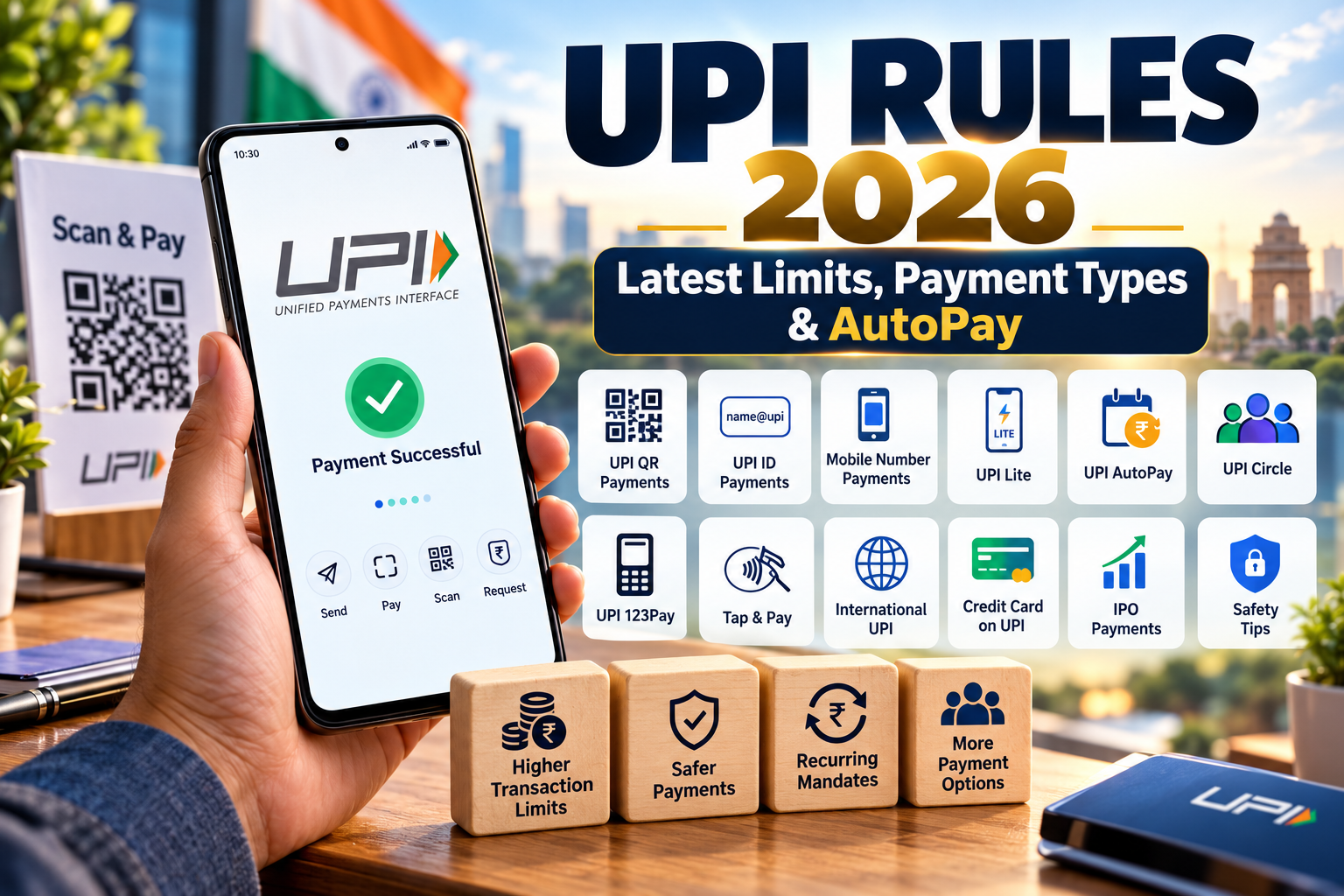
UPI Rules 2026: Latest Limits, Payment Types & AutoPay
UPI Rules 2026: Limits, Payment Types & AutoPay
Unified Payments Interface, better known as UPI, has become one of the most important digital payment systems in India. From buying groceries at a neighbourhood shop to paying utility bills, investing in an IPO or managing recurring subscriptions, UPI is now used for many different financial activities.
The important point is that UPI is not a single payment method. It is an ecosystem with multiple payment options designed for different situations.
This guide explains the major UPI changes and features introduced or expanded around 2025, the different ways you can make UPI payments, transaction limits, AutoPay, UPI Lite, UPI Circle, international payments, safety precautions and what users should know before authorising a transaction.
What Is UPI?
UPI stands for Unified Payments Interface. It is an instant payment system developed by the National Payments Corporation of India (NPCI) and operates through the Indian banking and digital payments ecosystem.
Instead of remembering a bank account number and IFSC every time, a user can often send money using a UPI ID, mobile number, QR code or another supported payment identifier. The transaction is authorised through the UPI app and the user’s UPI PIN or another supported authentication method.
Why Did UPI Need New Features?
The original UPI experience was designed mainly around straightforward bank-to-bank payments. As digital payments became more common, users began expecting UPI to work for small everyday purchases, recurring bills, investments, credit products, international payments and family spending.
That is why the UPI ecosystem has gradually added different payment modes and features. The objective is not simply to increase transaction volume. The broader aim is to make digital payments more convenient for different use cases while maintaining authentication and transaction controls.
Different Types of UPI Payments Explained
One of the most useful ways to understand UPI is to look at the different ways a payment can actually be made.
1. UPI ID Payment
A UPI ID, sometimes called a Virtual Payment Address (VPA), allows you to send money without manually entering the recipient’s bank account number and IFSC.
For example, a recipient may provide a UPI ID such as: name@bank.
You enter the UPI ID in your payment app, verify the recipient’s name and then authorise the payment.
2. Scan & Pay Using UPI QR
This is probably the most familiar form of UPI payment in India. You open your UPI app, scan the merchant’s QR code, enter or confirm the amount and authorise the transaction.
It is commonly used at grocery stores, restaurants, petrol stations, pharmacies, street vendors and other businesses.
Safety tip: Always check the recipient’s name and amount before entering your UPI PIN.
3. Pay to a Mobile Number or Contact
Supported UPI apps can allow users to pay another person through a registered mobile number or contact-based payment flow.
The exact availability can vary between banks and apps, so users should confirm the recipient displayed by the application before completing the payment.
4. UPI Collect Request
A collect request allows another person or merchant to request money from you. Instead of you initiating the transfer, you receive a payment request inside the supported UPI application.
Do not approve a collect request simply because it appears on your phone. Read the request carefully and approve it only if you genuinely intend to make that payment.
5. UPI Lite
UPI Lite is designed mainly for smaller-value everyday transactions. It uses an on-device balance and can make low-value payments more convenient.
The RBI increased the UPI Lite wallet limit to ₹5,000 and the per-transaction limit to ₹1,000. Availability and exact implementation can depend on the participating bank and app.
For users making many small payments during the day, UPI Lite can reduce the need to authenticate each eligible transaction with the normal UPI PIN.
6. UPI 123Pay
UPI is not limited to smartphones. UPI 123Pay was introduced to make digital payments available to users with feature phones and limited internet access.
The RBI later increased the UPI 123Pay per-transaction limit from ₹5,000 to ₹10,000.
This is particularly relevant for expanding access to digital payments beyond smartphone users.
7. UPI AutoPay
UPI AutoPay is designed for recurring payments. Instead of manually paying the same bill every month, a user can create an electronic mandate for an eligible recurring payment.
Examples include:
- OTT and entertainment subscriptions
- Insurance premiums
- Mutual fund payments
- Utility bills
- Loan or EMI-related payments where supported
- Other recurring services
For certain recurring-payment categories, RBI increased the limit for subsequent transactions without additional authentication from ₹15,000 to ₹1 lakh. The applicable rules depend on the category and mandate.
8. UPI Tap & Pay
UPI Tap & Pay uses NFC technology instead of requiring the user to scan a conventional QR code.
On a compatible device and supported payment app, the user can select the Tap & Pay option and bring the phone close to a supported NFC tag or smart QR.
This can make small merchant payments faster where the required infrastructure is available.
9. UPI for IPO Applications
UPI can also be used when applying for eligible IPOs. Instead of immediately transferring the entire amount, the UPI process can be used to create a mandate that blocks the required funds in the bank account.
If shares are allotted, the required amount is debited according to the applicable process. If there is no allotment, the blocked amount can be released after the mandate expires or is cancelled according to the applicable rules.
10. Credit Card on UPI
UPI can also support payments funded through eligible credit cards, particularly RuPay credit cards, where the feature is enabled.
This does not mean that every UPI transaction can automatically be funded by every credit card. Eligibility and merchant acceptance depend on the card network, bank, app and transaction type.
11. International UPI Payments
UPI has expanded beyond domestic payments. At supported international merchant locations, eligible users can make UPI-based payments using participating apps and bank accounts.
Before paying internationally, check the final amount, currency conversion, exchange rate and any applicable charges displayed by your bank or payment app.
12. UPI Circle / Delegated Payments
UPI Circle is designed to allow a primary user to authorise another trusted person to make payments from the primary user’s bank account within predefined controls.
This can be useful for family members, dependants or other situations where one person wants to manage or supervise payments made by another person.
BHIM introduced full delegation on UPI Circle with a monthly spending limit of up to ₹15,000 for the secondary user under the announced framework.
UPI Transaction Limits: What You Should Know
One of the biggest misunderstandings about UPI is the belief that there is one universal transaction limit for every payment.
That is not how the system works. Limits can vary according to the type of transaction, merchant category, bank, payment application and applicable NPCI/RBI rules.
| UPI Feature / Use Case | Important Limit or Rule | What It Means |
|---|---|---|
| Regular UPI | Depends on bank, app and transaction category | The actual limit shown by your bank/app may be lower than the applicable system ceiling. |
| UPI Lite | Up to ₹1,000 per transaction and ₹5,000 wallet limit | Designed for smaller everyday payments. |
| UPI 123Pay | Up to ₹10,000 per transaction | Designed for feature-phone based UPI payments. |
| Specified high-value UPI categories | Higher limits may apply | Examples include certain tax, investment, insurance, medical or educational payments depending on the applicable rules. |
| UPI AutoPay | Category-specific mandate rules | Some eligible recurring transactions can operate at higher limits without additional authentication. |
| UPI Circle | Delegated spending controls | The primary user can set limits for an authorised secondary user. |
What Changed Around 2025?
The UPI ecosystem saw several important developments around 2025. One of the notable changes was the implementation of higher per-transaction ceilings for specified categories and verified merchants.
NPCI’s August 2025 circular increased limits for certain additional categories while retaining separate rules for person-to-person payments. Banks were also allowed to maintain internal limits within the overall framework.
This means a user should not assume that every UPI payment has suddenly become a ₹5 lakh transaction.
UPI and Tax Payments
UPI can be used for eligible tax payments, and RBI increased the UPI limit for tax payments from ₹1 lakh to ₹5 lakh per transaction.
The higher limit is specifically relevant to eligible tax payments. It should not be confused with the standard limit for ordinary person-to-person transfers.
UPI for Hospitals and Educational Institutions
The UPI framework has also provided higher transaction limits for eligible payments to hospitals and educational institutions.
RBI announced an increase from ₹1 lakh to ₹5 lakh per transaction for these categories, subject to the applicable framework.
How UPI AutoPay Works
- Select UPI as the payment method on a supported service.
- Choose the recurring payment or mandate option.
- Review the mandate details carefully.
- Approve the mandate through your UPI application.
- The authorised recurring payment is processed according to the mandate terms.
- Monitor your active mandates and cancel those you no longer need.
UPI AutoPay is particularly useful when a payment occurs regularly, but convenience should not replace monitoring. Old subscriptions and unused mandates can continue to create payment requests until they are cancelled or expire.
How to Make a Safe UPI Payment
UPI transactions are convenient, but users should understand one basic rule: receiving money and sending money are two different actions.
- You normally do not need to enter your UPI PIN to receive money.
- Never enter your UPI PIN because someone says they are sending you money.
- Check the recipient’s name before authorising a payment.
- Never share your UPI PIN or OTP.
- Do not approve unknown collect requests.
- Be careful with screen-sharing and remote-access applications.
- Do not scan an unknown QR code simply to receive money.
- Use only official banking or payment applications.
- Keep your phone’s operating system and payment apps updated.
What Happens If a UPI Payment Fails?
A UPI payment can fail because of several reasons, including bank-server issues, incorrect details, insufficient balance, network problems, transaction limits or temporary technical problems.
If money is debited but the transaction does not appear successful, avoid immediately making the same payment repeatedly. First check the transaction status in your UPI application and bank account.
If the amount remains unresolved, raise a complaint through the payment application or your bank’s official support channel.
UPI Payment vs UPI AutoPay
| Feature | Normal UPI Payment | UPI AutoPay |
|---|---|---|
| Purpose | One-time payment | Recurring payment |
| Example | Restaurant bill | Monthly subscription |
| Frequency | Usually one transaction | Repeated according to mandate |
| User action | Authorise each payment | Approve the mandate and monitor it |
| Best suited for | Daily purchases and transfers | Regular bills and subscriptions |
UPI for Small Businesses
For small businesses, UPI can reduce dependence on cash and provide a convenient way for customers to pay.
A merchant can accept payments through a UPI QR code, supported payment apps and other digital payment methods. Businesses should still maintain proper records, reconcile transactions and follow applicable tax and accounting requirements.
A payment screenshot should not be treated as final proof of payment. Merchants should verify the transaction in their banking or merchant system before handing over goods or services.
UPI and Personal Finance: What Users Should Track
UPI makes spending easy, which is useful but can also make small purchases less visible. A few ₹100 or ₹200 transactions every day can become a significant monthly expense.
If you use UPI frequently, review your transaction history at least once a month and look for:
- Repeated subscriptions
- Unused AutoPay mandates
- Small recurring purchases
- Unexpected merchant payments
- Failed transactions followed by duplicate payments
- Payments you do not recognise
UPI Is Becoming More Than a Payment App
The evolution of UPI shows how digital payments are moving from a simple “send money” model toward a broader financial infrastructure.
UPI now connects everyday payments with recurring mandates, small-value payments, IPO applications, credit products, international merchant payments and delegated payments.
Newer initiatives are also exploring payments through connected devices and more advanced assistance and authentication methods. This means the way Indians pay is likely to continue changing over the coming years.
Frequently Asked Questions About UPI
1. Is the UPI limit ₹1 lakh for everyone?
No. UPI limits depend on the transaction category and the bank/app. Some eligible categories have higher limits, while banks can apply their own internal limits.
2. Can I send ₹5 lakh to another person using UPI?
Not simply because some UPI categories have a ₹5 lakh ceiling. Higher limits apply to specified use cases. Normal person-to-person transactions remain subject to the applicable P2P and bank limits.
3. Is UPI Lite the same as normal UPI?
No. UPI Lite is designed for smaller-value payments and operates using an on-device balance within the supported framework.
4. Is UPI AutoPay safe?
UPI AutoPay uses an authorised mandate system, but users should always check the merchant, amount, frequency and validity before approving a mandate.
5. Can I receive money by entering my UPI PIN?
You generally do not need to enter your UPI PIN to receive money. If someone asks you to enter your PIN to receive a payment or refund, stop and verify the request.
6. Can UPI be used outside India?
Yes, UPI has international acceptance at selected supported merchant locations. Availability depends on the country, bank, payment app and participating network.
7. What should I do if money is debited but the UPI payment fails?
Check the transaction status in your UPI app and bank account first. If the issue is not resolved, raise a complaint through the official app or bank support channel. Avoid repeatedly paying before confirming the status.
Key Takeaways
UPI is no longer limited to scanning a QR code at a shop. The ecosystem now supports multiple payment methods designed for different situations.
- UPI ID: Simple bank-to-bank payments.
- QR payments: Convenient merchant payments.
- UPI Lite: Small-value everyday transactions.
- UPI 123Pay: UPI access for feature-phone users.
- UPI AutoPay: Recurring payments through mandates.
- Tap & Pay: NFC-based payments on supported devices.
- UPI IPO: Helps block funds for eligible IPO applications.
- Credit on UPI: Eligible credit products can be linked for supported payments.
- International UPI: UPI payments at supported overseas merchants.
- UPI Circle: Delegated payments with predefined controls.
The most important lesson is simple: never assume that one UPI limit applies to every transaction. Check the limit shown by your bank or payment app and understand the category of payment before making a high-value transaction.
Final Word
UPI has changed the way millions of Indians handle everyday payments. The biggest change is not just the number of transactions but the variety of situations in which UPI can now be used.
From a ₹50 local purchase to an eligible high-value payment, a recurring subscription, an IPO mandate or a supported international merchant payment, different UPI products serve different needs.
For users, the smartest approach is not simply to use every new feature. It is to understand what each feature does, check the applicable limits and keep security at the centre of every transaction.
Disclaimer: This article is intended for general educational and informational purposes. UPI limits, features, participating banks, merchant categories and transaction rules can change. Your bank or UPI application may apply additional limits or conditions. Always verify the latest information through your bank, payment application, NPCI or RBI before making a high-value transaction.