
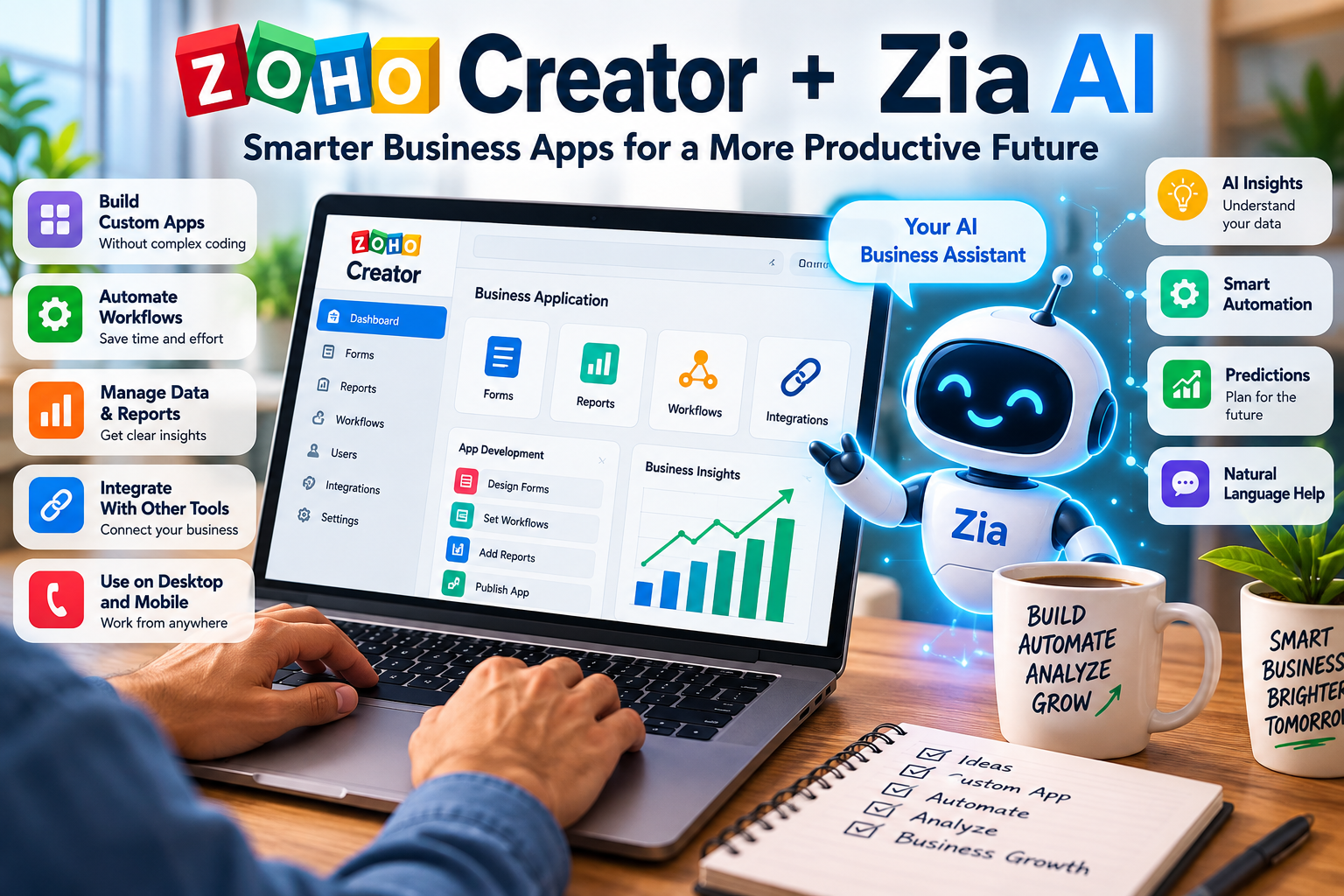
Zoho Creator and Zia AI: A Practical Guide to Features, Uses and App Development
By Smart Paisa Bharat Editorial Team | Updated: September 2026 | Category: AI & Digital Tools
A business idea can start with something simple: a better way to track customer enquiries, record expenses, manage stock or organize a team. The difficult part is turning that idea into software people can actually use. Traditional development may require programming knowledge, technical planning and ongoing support.
Low-code platforms offer another route. Zoho Creator gives users visual tools to build business applications, while its Zia AI capabilities can assist with parts of the planning and development process. That combination can make app creation more approachable—but it does not remove the need for clear requirements, testing or responsible data handling.
This guide explains Zoho Creator and Zia in plain language, walks through a realistic example, and outlines the questions worth asking before choosing the platform for a personal project or business process.
In brief: Zoho Creator is a low-code platform for building custom business applications. Zia is Zoho’s AI assistant, and selected Zia features can help users create or work with app components using natural-language instructions. Generated output should be reviewed, tested and configured before it is used for real business operations.
In This Guide
- What are Zoho Creator and Zia AI?
- How AI-assisted app building works
- Key features explained
- A practical example: an expense tracker
- Business use cases
- Benefits and limitations
- Pricing and availability
- Privacy and security considerations
- How to get started
- Frequently asked questions
- Final thoughts
1. What Are Zoho Creator and Zia AI?
Zoho Creator is a low-code application development platform. It is designed to help people build software for business processes such as customer tracking, inventory, service requests, internal approvals and reporting.
In a low-code environment, much of the work happens through visual builders, configurable fields and ready-made components. Users can arrange forms, reports and workflows without hand-coding every element. For advanced requirements, Creator also supports scripting and integrations.
Zia is Zoho’s AI assistant and intelligence technology. In supported Creator features, Zia can help interpret an application idea, suggest or generate components, assist with Deluge scripting and support certain AI-driven data tasks. The exact features available depend on the product configuration, account, provider and region.
Put simply, Creator is where the application is built and managed. Zia is an AI layer that can assist with selected parts of that work. It is useful to understand that distinction because an AI-generated starting point is not automatically a complete, secure or production-ready system.
A simple way to think about it: Creator provides the workshop and building materials; Zia can act like an assistant helping you turn a written brief into an initial design. You remain responsible for checking the design and making sure the finished application works as intended.
Who Might Find It Useful?
A small business owner who relies on spreadsheets may want one place to manage leads. An operations manager may need an approval workflow. A developer may want to prototype an idea before writing more customized code. These are different needs, but each begins with a process that can be described and tested.
The platform is not limited to people who have never coded. Experienced developers may also use low-code tools to speed up routine parts of an application, while reserving custom code for areas that need more control.
2. How Does AI-Assisted App Building Work?
AI-assisted app creation usually starts with a written description of the problem. The platform interprets the description and may use it to propose or generate parts of an application. The quality of the result depends in part on how clearly the requirements are written and which features are available in the user’s account.
Zoho’s published materials describe Zia App Builder workflows that include a direct build approach and a planning approach in supported configurations. Because product features can change, check Zoho’s current documentation before relying on a particular mode or capability.
| Stage | What You Do | What to Review |
|---|---|---|
| Describe | Explain the problem, users and desired outcome. | Are the needs specific and realistic? |
| Plan | Review the proposed requirements or application outline, if available. | Are fields, roles and process steps missing? |
| Generate | Ask the supported AI feature to create an initial structure. | Does the structure reflect the actual business process? |
| Customize | Adjust forms, reports, rules, scripts and integrations. | Are permissions and calculations correct? |
| Test | Try realistic and unusual scenarios using test data. | Does it behave safely for each user role? |
| Deploy | Release the app after review and configuration. | Are support, backups and maintenance responsibilities clear? |
Why Planning Matters
Consider a request to build an employee expense application. If the prompt only says, “Make an expense tracker,” the generated result may not know who can approve claims, what documents are required or whether employees should see one another’s records.
A better brief defines the users, the information collected, the approval steps, and the reports required. That gives both the builder and the person reviewing it a clearer target.
Keep expectations realistic: AI can help create a first draft, but it may misunderstand a requirement or omit a rule. Never treat a generated app, script or workflow as verified simply because it looks complete on screen.
3. Key Zoho Creator and Zia AI Features
The value of a business application comes from more than its first screen. It needs to collect reliable information, make that information useful, and guide people through a process. Here are several areas where Creator and its supported AI tools may help.
3.1 AI-Assisted Application Creation
With supported app-building features, a user can describe an application in ordinary language and ask for an initial structure. For example, a brief for an inventory tool might mention product names, stock counts, suppliers and purchase records. The generated result can provide a starting point for further design.
Before using it, check whether the generated fields make sense, whether duplicate records are possible and whether the app reflects the way the business actually works.
3.2 Forms and Data Collection
Forms let people submit information in a consistent format. An application might use them to collect customer details, service requests, expense claims or stock updates. AI assistance may help propose fields from a description, but a person should decide which fields are genuinely needed.
Collecting less unnecessary personal information makes an app easier to use and can reduce privacy risk. Review required fields, field types, validation rules and access to submitted records.
3.3 Reports and Dashboards
Reports turn stored records into views that people can act on. A sales team might need to see open enquiries, while an administrator may need a list of overdue tasks. Creator provides tools for organizing and presenting application data.
Make sure that the numbers shown in a dashboard are based on the correct records and definitions. A polished chart is not useful if the underlying filters or calculations are wrong.
3.4 Workflow and Process Automation
Workflows define what happens after an event. For instance, submitting a service request might notify a team member, or sending an expense claim might place it in a manager’s review queue.
Some workflow elements may need to be configured manually, depending on the feature and AI provider. Test notifications, approval conditions, failure paths and permissions rather than assuming they are correct by default.
3.5 Deluge Script Assistance
Zoho Creator uses Deluge, Zoho’s scripting language, for custom logic and automation. AI assistance may help draft a script, explain a function or suggest an approach to a routine task.
Generated code can still contain errors or overlook edge cases. Review it carefully, test it with sample records and make sure it handles blank values, invalid inputs and access restrictions correctly. For important applications, ask a qualified developer to review complex logic.
3.6 AI-Assisted Data Tasks
Zoho documents AI-related capabilities for selected tasks such as text processing, extraction, classification and analysis. These may be useful when an application needs to organize text or extract information from documents.
Results can vary with document quality, language, model and setup. For decisions involving money, eligibility, compliance or sensitive records, include a human review step and provide a way to correct mistakes.
4. A Practical Example: Building a Business Expense Tracker
Imagine a small company where employees send expense details through email or messaging apps. The finance team has to collect the information, ask for missing receipts and track approvals manually. A simple internal application could make that process easier to follow.
Example Requirements
- Employees submit the expense date, category, amount and business purpose.
- Employees attach a receipt when the company policy requires one.
- Managers review requests assigned to them and record a decision.
- Administrators can view the overall status and maintain records.
- Reports summarize claims by date, category, employee and status.
Note: This is an illustrative project brief, not a claim that this application has been built, tested or endorsed by Zoho.
Step 1: Write a Useful Prompt
A specific prompt gives the app builder context. You can adapt the following example to your own process:
Sample Prompt
Create an expense management application for a small company. Employees should submit the expense date, category, amount, description and receipt attachment. Each claim should have a status of Submitted, Under Review, Approved or Rejected. Managers should review only the requests assigned to them and record a decision with comments. Administrators should be able to view all records and report by employee, date, category and status. Include appropriate forms and role-based access. A claim must not be marked approved until an authorized manager records the decision.
The final sentence is important. It spells out a business rule rather than leaving the AI to guess how approval should work.
Step 2: Inspect the Proposed Forms and Roles
Check that the application includes the information employees need to submit and that managers have the right review fields. Ask whether a staff member could see another person’s claim or whether a manager could approve a request outside their authority.
Check attachment handling too. A receipt should be associated with the correct record and should not be exposed to users who do not need it.
Step 3: Add Validation and Workflow Rules
Define what happens when a required field is missing, an amount is invalid or a claim is rejected. If the organization has spending limits or approval thresholds, use the actual approved policy. Do not invent a threshold just to make the workflow appear complete.
Step 4: Test with Fictional Data
Before entering real employee information, test the application using made-up names and amounts. Submit a claim, review it as a manager, reject another claim and check the reports. Try missing dates, invalid amounts, duplicate submissions and unauthorized access.
Testing only the normal path is not enough. The app should also behave sensibly when someone makes a mistake or tries to access a record they should not see.
Step 5: Prepare for Actual Use
Before launch, review access permissions, data retention, backups, integrations and who will maintain the application. Document how staff can report an issue and who is allowed to change the workflow.
A prototype can be useful for learning, but a business application needs ongoing care. Requirements can change, staff members leave and platform features are updated. Plan for those realities from the beginning.
5. Business Use Cases to Explore
Low-code development can be helpful when a business has a recurring process that is currently spread across spreadsheets, messages and manual follow-ups. The examples below are ideas to evaluate—not a promise that every use case can be built automatically or is included in every subscription.
| Area | Possible Application | Key Issue to Plan For |
|---|---|---|
| Sales | Lead records and follow-up tracking | Record ownership and customer data access |
| Finance | Expense submissions and internal approvals | Approval authority, audit trail and financial accuracy |
| Inventory | Stock records and purchase requests | Correct quantities, adjustments and duplicate entries |
| Human Resources | Onboarding checklists and document collection | Confidential employee information |
| Customer Support | Service tickets and complaint tracking | Clear ownership and escalation process |
| Education | Admissions or application tracking | Student privacy and access controls |
Is It Useful for a Small Business?
It may be worth exploring if the business has a clear process and needs a tailored tool without building every component from scratch. A trained business user may be able to maintain a straightforward app, while integrations, complex permissions or business-critical systems may call for experienced technical help.
Start by asking what problem the app will solve, who will use it, what information it will hold and what happens if it fails. Those answers are more important than choosing a tool simply because it includes AI.
6. Benefits and Limitations
AI-assisted development can reduce some repetitive setup work and make it easier to explore an idea. It also creates a responsibility to review AI-generated content and keep the resulting application reliable.
Potential Benefits
- A more accessible starting point: Natural-language descriptions can help users express what they want before working through every technical detail.
- Prototyping support: An initial structure can help a team discuss and refine an idea.
- Visual development: Forms, reports and other components can be configured using platform tools.
- Process-specific applications: Teams can design tools around their own records and workflows.
- Room to customize: Scripting and integrations can support requirements beyond a basic prototype.
Limitations to Keep in Mind
- AI can misunderstand a brief. It may leave out a field, role or condition that matters to the business.
- Complex projects need expertise. Integrations, architecture, security and specialized logic may require a developer.
- Generated scripts need review. Code that appears plausible may fail on unusual inputs or create unintended behavior.
- Total costs vary. Subscription plans, users, AI usage, integrations and third-party services can affect the overall cost.
- Maintenance does not disappear. Applications need updates, access reviews, backups and support.
Practical rule: Use AI to assist with development, not to replace testing or accountability. This is especially important when an application handles payments, employee information, customer records or regulated data.
7. Zoho Creator Pricing and Availability
Pricing and plan features can change, and they may vary by country, billing term and account type. Rather than relying on a price copied from an older article, check the official Zoho Creator pricing page before subscribing.
When comparing plans, look beyond the headline subscription price. Consider the number of users, included features, storage or usage limits, support options and whether the plan includes the AI capabilities your project needs.
Are Zia Features Included in Every Plan?
Access to Zia App Builder and other AI features is subject to Zoho’s current plan requirements, account permissions and regional availability. Zoho’s documentation has described certain app-building capabilities as requiring a paid Creator plan. Confirm the current eligibility and prerequisites in the official help center for your account.
Could There Be Additional AI Charges?
Potentially. AI usage may be governed by feature-specific credits, provider terms or external model billing. If you connect a third-party AI provider, review that provider’s pricing, usage limits and data terms separately. Do not assume that a Creator subscription provides unlimited use of every external AI model.
Before paying: Verify the plan, feature access, user limits, AI usage allowance, external provider charges, renewal terms and cancellation conditions that apply to your region.
8. Privacy, Security and Responsible AI Use
An app can work as expected and still be unsuitable for a business if it exposes private information or gives users more access than they need. Privacy and security should be part of the design from the beginning—not something added after launch.
Understand How Prompts and Data Are Processed
AI features may process the text or information supplied to them using the configured model or provider. The applicable handling can differ between Zoho’s own AI services and an external model provider. Review the current product documentation, privacy terms and data-processing conditions for the exact configuration you plan to use.
Use Test Data While Developing
Use fictional or anonymized records during early testing. Avoid entering passwords, payment card details, identity documents, confidential customer data or other sensitive information into an AI prompt unless you have confirmed that the processing is authorized and appropriate.
Apply the Principle of Least Privilege
Give each user only the access required for their work. Employees, managers and administrators may need different permissions. Test the application under each role to ensure users cannot see or change records outside their responsibilities.
Plan for Retention and Maintenance
Decide how long records should be kept, who can export them, how access is removed when a staff member leaves and how backups will be managed. Requirements may differ by business and jurisdiction, so seek appropriate professional advice where legal or regulatory obligations apply.
For product-specific details, start with the Zoho Creator Zia documentation and the current privacy and security materials for any connected service.
9. How to Get Started with Zoho Creator
If you are new to the platform, avoid beginning with a large, business-critical project. Choose a small process with a clear outcome and limited sensitive data. This gives you a chance to learn the builder and understand where AI assistance is useful.
- Choose one problem. For example, tracking service requests or organizing a simple inventory list.
- Write down the users and steps. Explain who enters information, who reviews it and what should happen next.
- Check current account access. Review Zoho’s plan and feature requirements before assuming a particular AI function is available.
- Build a prototype. Use sample data and keep the first version small.
- Test the process. Check normal use, mistakes, permissions and reports.
- Get feedback. Ask a few intended users to try it and identify confusing steps.
- Review before launch. Confirm security, data handling, maintenance and support arrangements.
For current instructions, use Zoho’s official Creator website and its help documentation. Product interfaces and feature names can change, so official instructions are more dependable than an old screenshot or tutorial.
10. Frequently Asked Questions
What Is Zoho Creator Used For?
Zoho Creator is used to build custom business applications for processes such as customer management, inventory, expense tracking, internal approvals, service requests and reporting.
What Is Zia AI in Zoho Creator?
Zia is Zoho’s AI assistant. In supported Creator features, it can assist with app creation, scripting and selected data-related tasks. Available functions depend on the product configuration and current feature support.
Can I Build an App Without Coding?
You can create many components through visual tools and AI-assisted features without writing every part of the code. Advanced business rules, integrations and custom functionality may still require scripting or developer support.
Is Zoho Creator Free?
Zoho publishes current plan and trial information on its website. Availability and included features vary, and access to specific Zia features may have plan requirements. Check the official pricing page for current terms.
Does Zia Automatically Create a Production-Ready Application?
No app should be treated as production-ready solely because AI generated it. Review the requirements, permissions, workflows, scripts, integrations and data handling, then test the application before real use.
Can Zoho Creator Apps Be Used on Mobile Devices?
Creator supports web and mobile application experiences. Available options depend on the app configuration and current platform capabilities. Check Zoho’s documentation for the specific deployment method you need.
Is Zoho Creator Suitable for Beginners?
Beginners can use its visual development tools and AI assistance to learn about forms, data and workflows. A basic understanding of the business process and careful testing are still important.
Can I Build a Financial or Payment Application?
Creator may be used for certain financial records and internal workflows, subject to its capabilities and your configuration. Payment processing, financial calculations and sensitive information require additional security, independent testing and any applicable compliance review.
Where Can I Learn About Zia App Builder?
Read the official Zoho Creator guide to Zia App Builder for current details about supported modes, prerequisites and setup.
Can Zia Use External AI Models?
Zoho documents selected external model integrations for applicable features. Supported providers, configuration steps and availability may change, so consult the latest official documentation before connecting a provider.
11. Final Thoughts: Is AI App Development Worth Exploring?
Zoho Creator and its Zia AI capabilities offer another way to approach business software. Instead of starting with a blank code editor, users can describe a process, explore an initial application structure and refine it with visual tools and, where needed, scripting.
The most useful starting point is not the most ambitious app idea. It is a small, clearly defined problem that you can test. A simple internal tracker can teach you how forms, records, roles and workflows fit together before you take on more complex requirements.
For businesses, the real measure of value is whether the application makes a process clearer, more reliable or easier to manage. AI may assist with development, but sound requirements, secure configuration, accurate data and ongoing maintenance remain essential.
Before choosing a platform or subscription, verify the current features, pricing, data handling and technical requirements for your particular use case.
Explore More AI and Digital Tools
Find practical technology explainers, digital tools and educational guides on Smart Paisa Bharat to help you understand new technologies and make informed decisions.
Official References and Further Reading
Use these official resources to verify current product features, configuration requirements and pricing. Features and availability may change after publication.
- Zoho Creator — Official Product Website
- Zoho Creator AI App Builder
- Zoho Creator Help — Zia App Builder
- Zoho Creator Help — AI Capabilities Powered by Zia
- Zoho Creator — Pricing and Plans
Editorial Disclaimer: This article is for general educational and informational purposes. It does not guarantee software performance, development time, business savings, security compliance or commercial results. Features, prices, AI providers and regional availability can change. Verify important details with the provider before purchasing or implementing a solution.
Smart Paisa Bharat is an independent educational website. This article is not an official Zoho publication. Company and product names belong to their respective owners. No sponsorship or endorsement is implied.